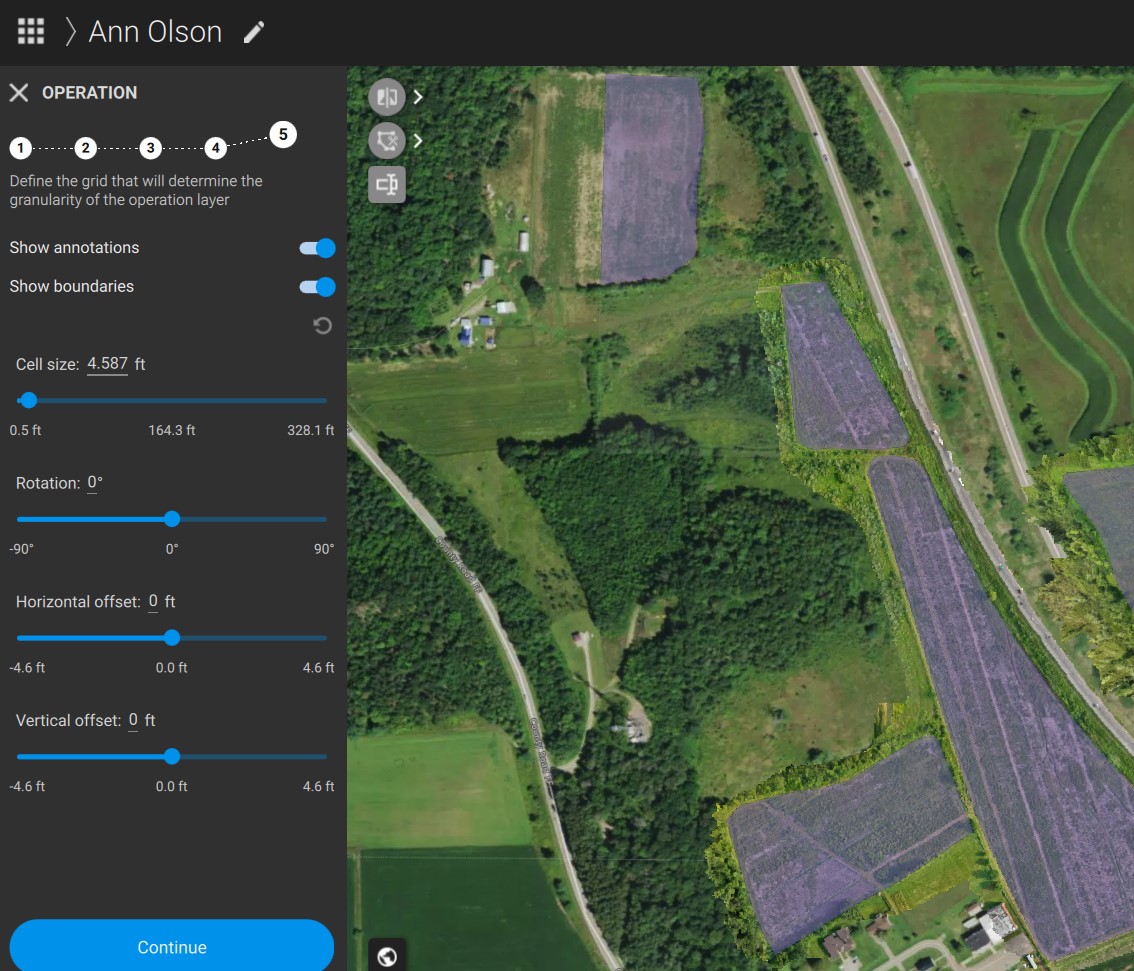
Simply, I’m trying to create a spray plan under a boundary I’ve defined that is filled with annotations as my fields. Typically this does a good job of just summing up the area and calculating the total gallons required just from the annotation data. However, this area to the west (two small plots) seem to be clipped out. Any ideas what I’m doing wrong? It works fine for other fields.
Hi, it seems the marked area is not marked in the actual prescription with the purple zone, you need to use the brush to actually mark it as a field. Are you sure that these fields are in the same annotation as the othe fields? Share a screenshot please
Is there any follow up to this? So the annotations were clearly defined, but on the spray plan the area in my first photo was missing. The problem continues to persist. Is there any better way to submit a potential bug report or best practices you would like community members to follow?
The file size max for uploads is 4mb. I’ve exported the project and zipped it, but I can’t upload it here. How do you suggest I get this file over to you? Or, alternatively, if someone from Pix4d wants to setup a quick teams to screen share I could do that.
Hi, as you have a valid license, you can reach out by creating a support ticket after interacting with the Pixie chatbot located at the bottom right of the screen. Or CLICK GET support in Pix4D Technical support services
These cookies are necessary for the website to function and cannot be switched off in our systems.
They are usually only set in response to actions made by you which amount to a request for services, such as setting your privacy preferences,
logging in, or filling in forms. These cookies do not store any personally identifiable information.
These cookies allow us to count visits and traffic sources so we can measure and improve the performance of our site.
They help us to know which pages are the most and least popular and see how visitors move around the site.
All information these cookies collect is aggregated and therefore anonymous.
If you do not allow these cookies we will not know when you have visited our site, and will not be able to monitor its performance.
These cookies may be set through our site by our advertising partner (Google).
They may be used by Google to build a profile of your interests and show you relevant adverts on other sites.
They do not directly store personal information but are based on uniquely identifying your browser and internet device.
If you do not allow these cookies, you will experience less targeted advertising.