first of all, thank you very much for the continued development of PIX4Dmatic and for bringing the Survey functionalities into a single, unified desktop workflow. From a conceptual and functional point of view, this is a very strong step forward, and I truly appreciate the effort and vision behind it.
While working with PIX4Dmatic 2.0, however, I have noticed a significant change in interaction performance compared to previous versions. When opening point clouds and navigating within the 3D view (zooming, rotating, panning), the response feels noticeably delayed. In many cases, there is a waiting time of several seconds before the view updates, even on relatively simple interactions.
I have tested this behavior across multiple projects and datasets, and the result is consistent. In earlier versions of PIX4Dmatic, navigation felt much more immediate and fluid under the same hardware conditions.
I wanted to ask openly and respectfully whether this behavior is already known to the development team, and whether performance optimizations are currently being worked on. Alternatively, I would appreciate understanding whether this is an expected change in interaction behavior that users should adapt to going forward.
I genuinely like the direction PIX4Dmatic 2.0 is taking, and I value the new capabilities it brings. At the same time, smooth and responsive navigation is a critical part of my daily workflow, and at the moment the laggy interaction makes working with the software less enjoyable than before.
Thank you very much for your time and for the great work you are doing. I am looking forward to your feedback and insights.
We appreciate you sharing both great and constructive feedback.
Regarding PIX4Dmatic 2.0 performance, could it be possible that the GPU that PIX4Dmatic is using switched back to the integrated on your system, instead of the dedicated GPU? Would it be possible for you to check quickly?
A quick guide on how to check can be found here.
thanks for your help. I have checked, but cannot find a list. Where can I find that “provided list”? It feels like there is one point missing in this list. In default graphics settings I cannot find “Desktop app” in WIN11
I wanted to ask whether you are aware of any potential performance regressions in the current version. @andrea.dotti
On my system, viewport interaction (zooming, rotating, general navigation) feels noticeably slower than in previous versions, even though the application is correctly using the NVIDIA GPU. Loading Pointclouds takes ages, too.
Hardware utilization looks normal, but the UI responsiveness has changed compared to earlier releases.
Could you please check on your side whether this is a known issue or something currently under investigation? Thx
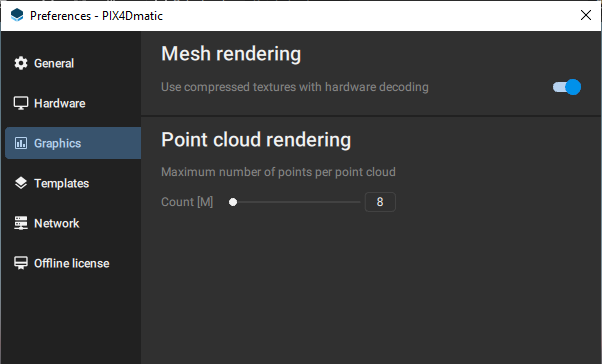
Internally, we have not noticed any performance drops while comparing PIX4Dmatic 2.0 and previous versions, which brings me to another setting that may cause that.
@maal I’m checking in to see if you found the cause of the reduced performance? As mentioned by @Anastasis_Spachos, this is not a known issue and we have not received other similar reports from people.
I feel it’s slower than before, but somehow cannot reproduce it atm. Maybe it’s my workstation. Right now I would say Case closed. Thanks for coming back to me!
These cookies are necessary for the website to function and cannot be switched off in our systems.
They are usually only set in response to actions made by you which amount to a request for services, such as setting your privacy preferences,
logging in, or filling in forms. These cookies do not store any personally identifiable information.
These cookies allow us to count visits and traffic sources so we can measure and improve the performance of our site.
They help us to know which pages are the most and least popular and see how visitors move around the site.
All information these cookies collect is aggregated and therefore anonymous.
If you do not allow these cookies we will not know when you have visited our site, and will not be able to monitor its performance.
These cookies may be set through our site by our advertising partner (Google).
They may be used by Google to build a profile of your interests and show you relevant adverts on other sites.
They do not directly store personal information but are based on uniquely identifying your browser and internet device.
If you do not allow these cookies, you will experience less targeted advertising.