Flying with a Phantom 4 Multispectral drone. I have imported both the .tiff and .jpeg images both individually and into the same project. When I import only the .jpeg I only get the TGI and VARI indexes with available bands being red, green, and blue. When I import only the .tiff I get a b&w image and no “Index” option at all (greys out the tab). When I pull both in, I still only get the TGI and VARI indexes, can only select the RGB orthomosaic as the “source layer,” and only have available bands of red, green, blue.
What do I need to do to be able to create custom indexes?
You probably just imported one band of tiff images. You need to import the whole folder with all tiff images for each band.
I’m not sure I understand. I imported all the images from the flight’s SD card as ‘Captured by drone > Folder > Tif, Tiff’ and it won’t give me the option to edit the Index. Could I be uploading them incorrectly? Or could they be somehow saving incorrectly (setting on the drone)? I’m pretty new to drones and this software, so very much learning as I go. Pictured is the file I’m pulling the images from and what I see once the image is processed.

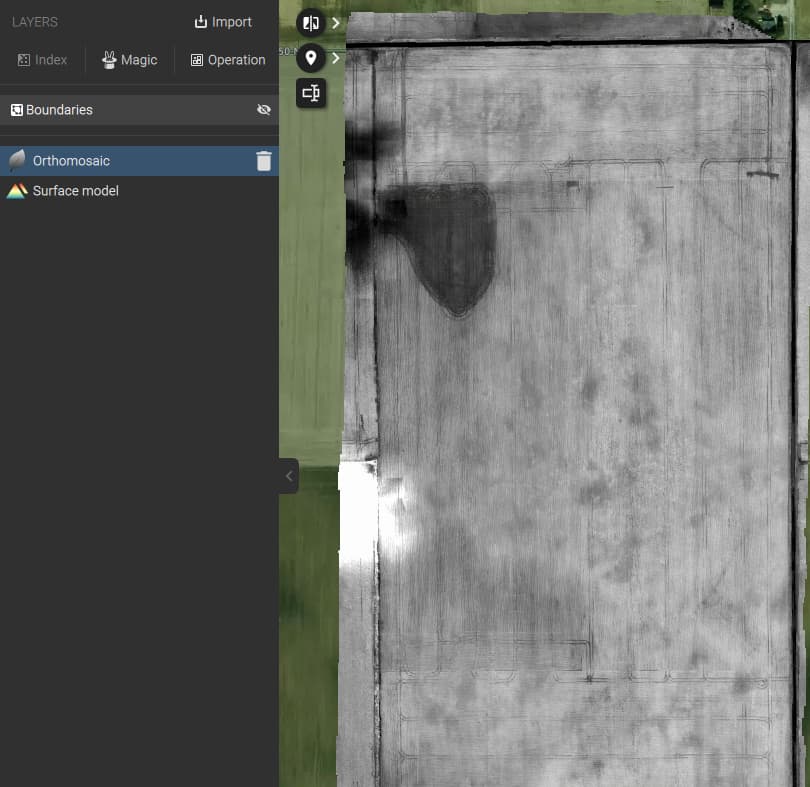
Yes it looks like the drone was set to only capture one Multi-Spectral band, that’s why you only have one tiff per capture event instead of 5.
You need to check that next time all bands are selected. Now your ortho is just a single wavelength, so that’s the reason it does not show you any indices, because the other wavelengths are missing.
Thank you! I was able to find the right setting in my DJI GS Pro flight app. Its in the camera view (not map view), adjustments icon (under shutter button), camera icon, Bands to Store.