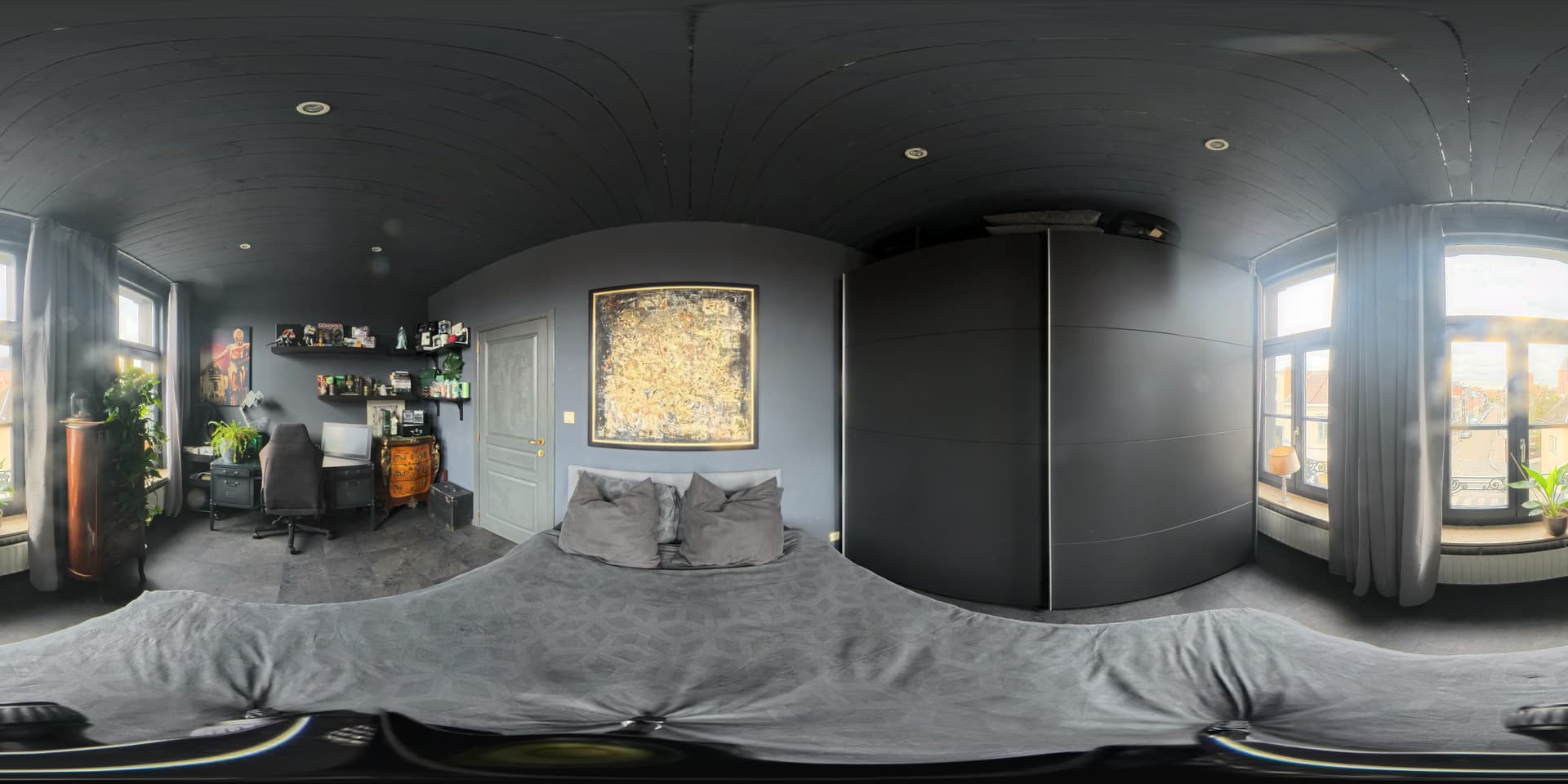
Hi! For school, I have to use the Insta360 X4. I know I need to work with equirectangular photos, so I uploaded three images and disabled all coordinate systems (input and output). I selected the camera model as Insta360 X4 (I can’t change this) and set the camera type to “Spherical.”
There is also a lot of overlap because it’s a small room.
But I keep getting an error:
‘[Error]: Error e0046: Processing failed. No calibrated cameras.’
What am I doing wrong, and what should I do to fix this?
There are likely two reasons why the project is not calibrating: First, I would close the curtains in your room. The brightness and highly reflective nature of the windows will greatly compromise the project’s calibration. Second, the very black, homogeneous nature of your walls is also not helping. There is not a lot of image content to generate a sufficient number of common keypoints between images. There may not be much you can do with this latter aspect.
Have you tried using our scanning application called PIX4Dcatch? This will likely perform better than a 360 camera.
These cookies are necessary for the website to function and cannot be switched off in our systems.
They are usually only set in response to actions made by you which amount to a request for services, such as setting your privacy preferences,
logging in, or filling in forms. These cookies do not store any personally identifiable information.
These cookies allow us to count visits and traffic sources so we can measure and improve the performance of our site.
They help us to know which pages are the most and least popular and see how visitors move around the site.
All information these cookies collect is aggregated and therefore anonymous.
If you do not allow these cookies we will not know when you have visited our site, and will not be able to monitor its performance.
These cookies may be set through our site by our advertising partner (Google).
They may be used by Google to build a profile of your interests and show you relevant adverts on other sites.
They do not directly store personal information but are based on uniquely identifying your browser and internet device.
If you do not allow these cookies, you will experience less targeted advertising.