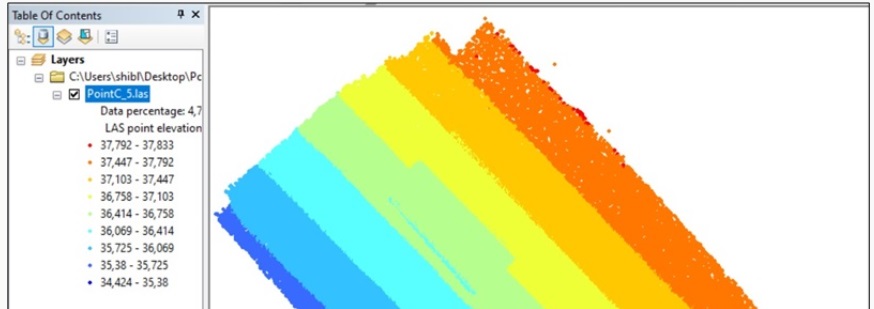
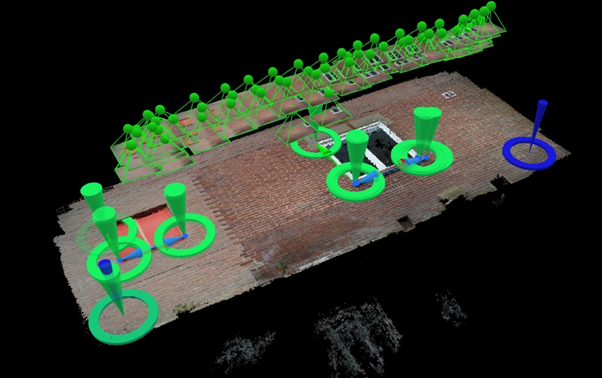
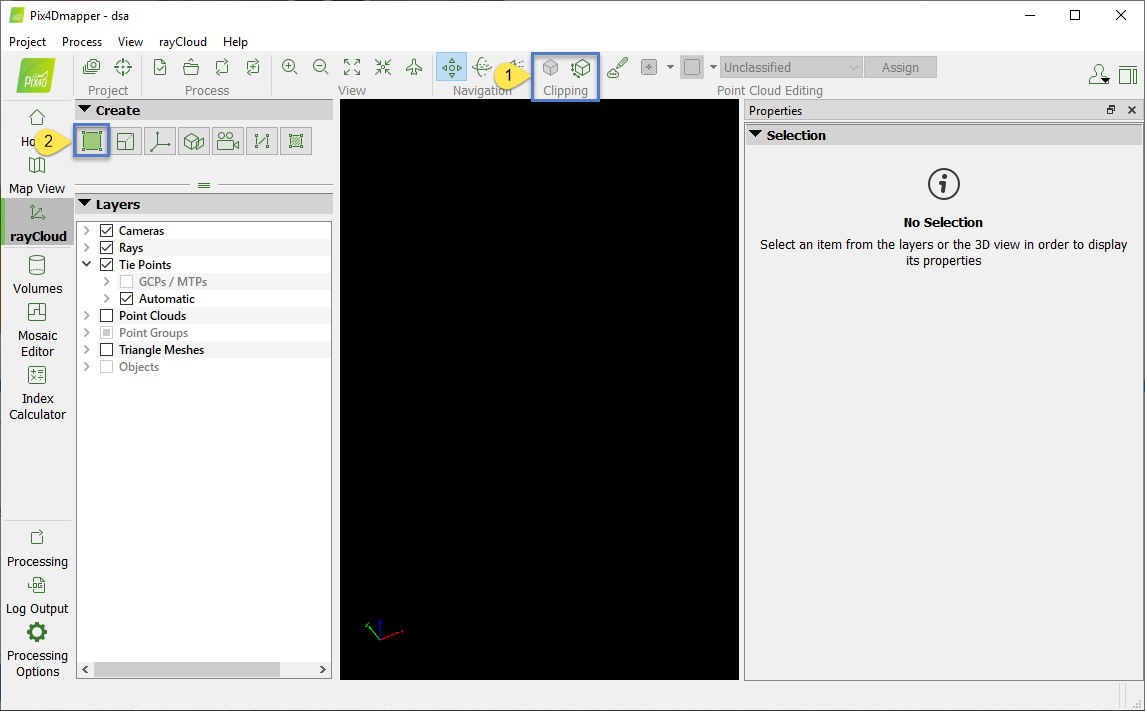
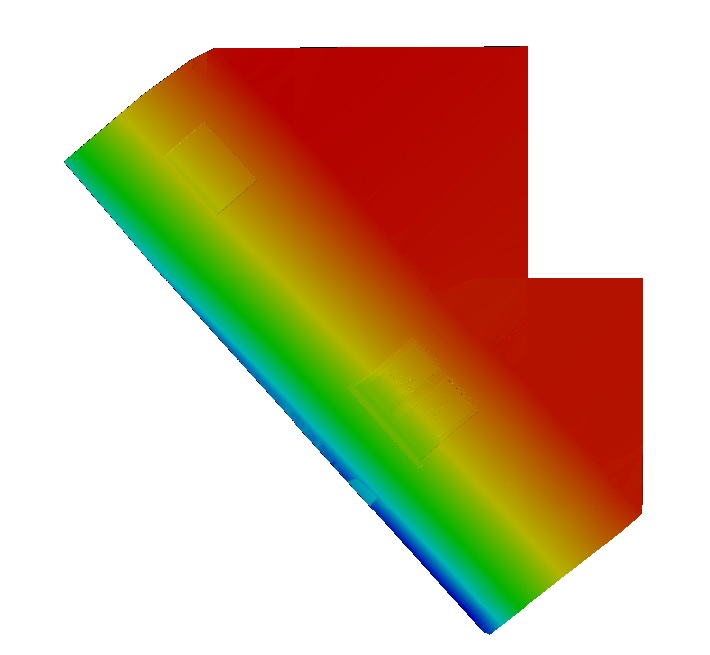
I have taken a series of overlapping oblique images of a building facade with an iPhone camera (with geotags) and generated a point cloud and orthomosaic in Pix4D. When I import the point cloud and orthomosaic into eCognition, it shows that the point at the ground adjacent part of the facade has a lower Z value and the point of the upper part has a higher Z value but I need “camera to facade distance” as Z value to help extract cracks on the facade using OBIA in eCognition.
Later I generated point cloud and mosaic by deleting geolocation information and selected “Arbitrary”
(output) coordinates in Pix4D. Still, the Z value is the height above the ellipsoid (according to WGS 1984), not the distance from camera position to facade. What can I do?!
By changing orientation while taking orientation constraints, I got the “Camera to facade distance” which varies object to object (object depths) on facade. But it shows in negative numbers.
Is there anything to do to get the distance in positive numbers?
One thing you could try is to add some arbitrary GCPs that will give an arbitrary coordinate system to your facade. For example, you could add a GCP at the lower left part of your facade with coordinates 0,0,0.
Similarly, you should add more GCPs so that the numbers come out positive.
I believe the numbers came out negative because you removed the image geolocation and this lead to an arbitrary coordinate system.
Yes, you are right. I have removed the image geolocation and taken orientation and scale constraints.
I understand that I can add the coordinates 0,0,0 at the lower left part of my facade as a GCP.
If I add another GCP at the lower right corner, the coordinates should not be 0,0,0 I guess. So, how to find out the coordinates of that point?
One thing I can do: after inserting 0,0,0 coordinates at the lower left corner, I can check on the facade image what coordinates at the lower right corner come up.
Then, I can add that as its GCP. Does that make sense?
GCP1 (0,0,0)
GCP2 (X,0,0)
Where X is the real distance between point 1 and 2 in one direction
GCP3 (X,Y,Z): a point in the direction of the camera and the facade in order to define the Z direction
I hope it makes sense
Given that this is an application that is not officially supported by Pix4Dmapper, unfortunately, I cannot give further assistance.
Currently, the software does not export “camera to facade distance” as Z value by default.
But you can give it a try with arbitrary GCPs. I’ve seen similar projects in the past from other customers.
This email finds you well. Thanks for your continued cooperation.
I have some problems generating good reconstruction in Pix4D. I need your help soon.
You know that I am working with building facades (oblique photogrammetry). I capture images with an iPhone camera.
I see it is very difficult to generate a good reconstruction. What is the problem I don’t know? I take images very carefully with much overlap. After the acquisition, I check the images on the laptop one by one and delete the blurry images. Despite that, I do not get a good reconstruction of the facade. It is giving me much pain killing my valuable time. I am attaching some of my experiment results for your reference.
Another problem I am facing is: to change the orientation of a project, when I remove geolocation, take orientation constraints and then, reoptimize the project, orientation constraints do not work, sometimes I see them displaced (you will see in the attachment).
What are the possible reasons for this? How to solve this problem?
In the link Christina suggested on how to orient the project, it is written that if the project has images with geolocation and the Orientation Constraint is too different from the orientation given by the image geolocation, the Orientation Constraint will not be taken into account. When deleting the geolocation of the images without reoptimizing or running Step 1. again, this action is not taken into account.
I would suggest removing image geolocation , running Step 1., adding orientation constraints and then reoptimize.
The orientation given by the image geolocations is very different from the one I need. So, I am going to follow your suggestion “removing image geolocation, running Step 1., adding orientation constraints and then reoptimize”.
These cookies are necessary for the website to function and cannot be switched off in our systems.
They are usually only set in response to actions made by you which amount to a request for services, such as setting your privacy preferences,
logging in, or filling in forms. These cookies do not store any personally identifiable information.
These cookies allow us to count visits and traffic sources so we can measure and improve the performance of our site.
They help us to know which pages are the most and least popular and see how visitors move around the site.
All information these cookies collect is aggregated and therefore anonymous.
If you do not allow these cookies we will not know when you have visited our site, and will not be able to monitor its performance.
These cookies may be set through our site by our advertising partner (Google).
They may be used by Google to build a profile of your interests and show you relevant adverts on other sites.
They do not directly store personal information but are based on uniquely identifying your browser and internet device.
If you do not allow these cookies, you will experience less targeted advertising.